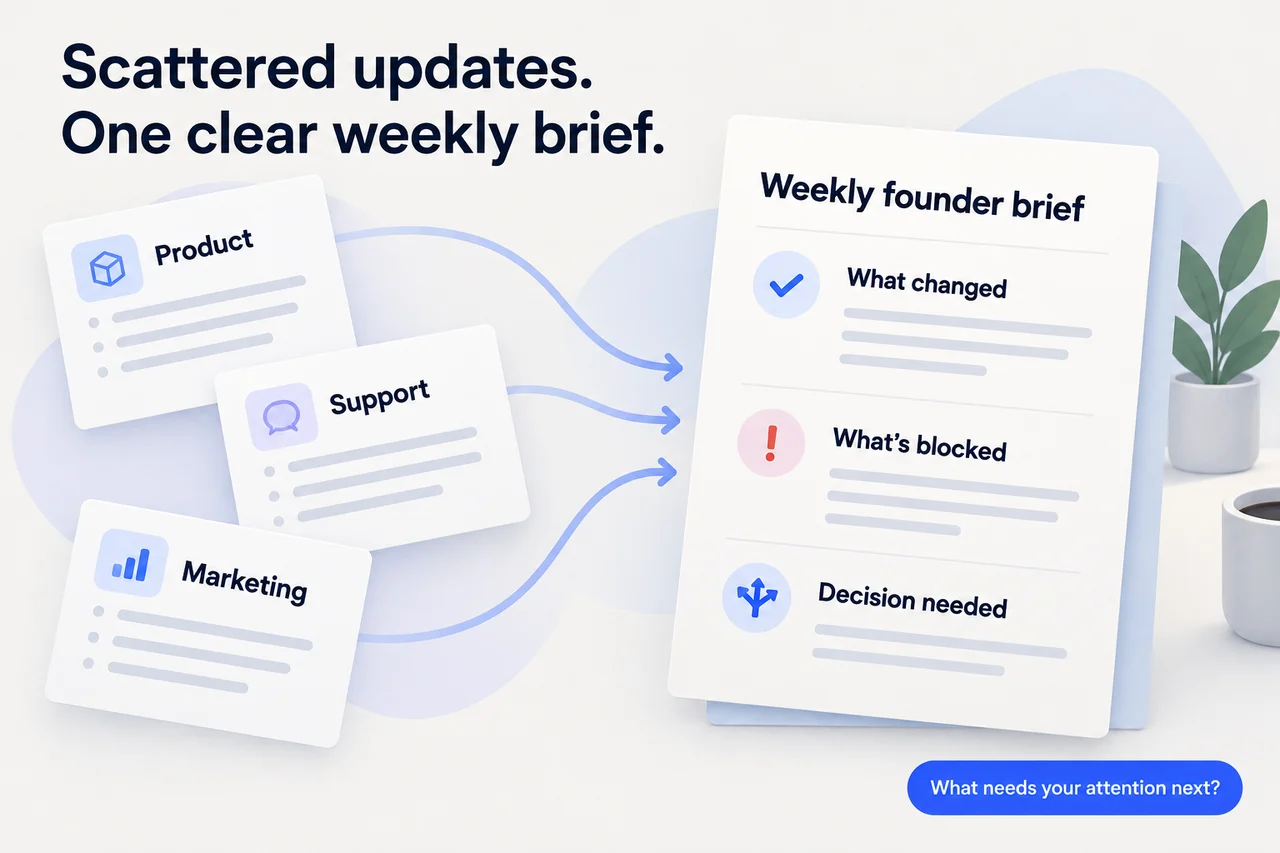
Choose a reporting window, gather dated updates, and organize them around changes, blockers, and decisions. Keep a source beside each important claim, make gaps visible, and end with the next action—not another activity list.
You don’t need a new system to start. A document and links to the tools your team already uses are enough for a first version.
The goal isn’t to summarize everything. It’s to answer: What changed, what needs my attention, and what happens next?
What does a useful weekly founder brief look like?
Start with a launch decision. If testing is complete but the support guide still needs review, the brief should keep those facts separate and make the unresolved decision clear:
WEEKLY FOUNDER BRIEF
Period: Monday–Friday
Prepared: Friday afternoon
Sources: launch tracker, testing checklist,
marketing draft, support guide

THE SHORT VERSION
Testing is complete. Launch readiness is not yet
confirmed because the support guide needs review.

WHAT CHANGED
- Testing checklist marked complete on Thursday.
  Source: [link to testing checklist]
- Announcement draft ready for review on Friday.
  Source: [link to marketing draft]

WHAT’S BLOCKED
The support guide needs review. The launch tracker
names an owner but has no completion estimate.
Source: [link to launch tracker]

DECISION NEEDED
Keep the launch date or move it?
Needed before: the announcement is scheduled.
Missing input: support guide completion estimate.

PROPOSED FOLLOW-THROUGH
Ask the guide’s owner for a completion estimate.
Then confirm the launch date and review the announcement.
These actions are proposed, not completed.

COVERAGE
Sales updates are excluded: no current update available.
Notice the distinction: “testing complete” does not become “ready to launch.” The brief preserves what’s known, what’s missing, and the decision the missing information affects.
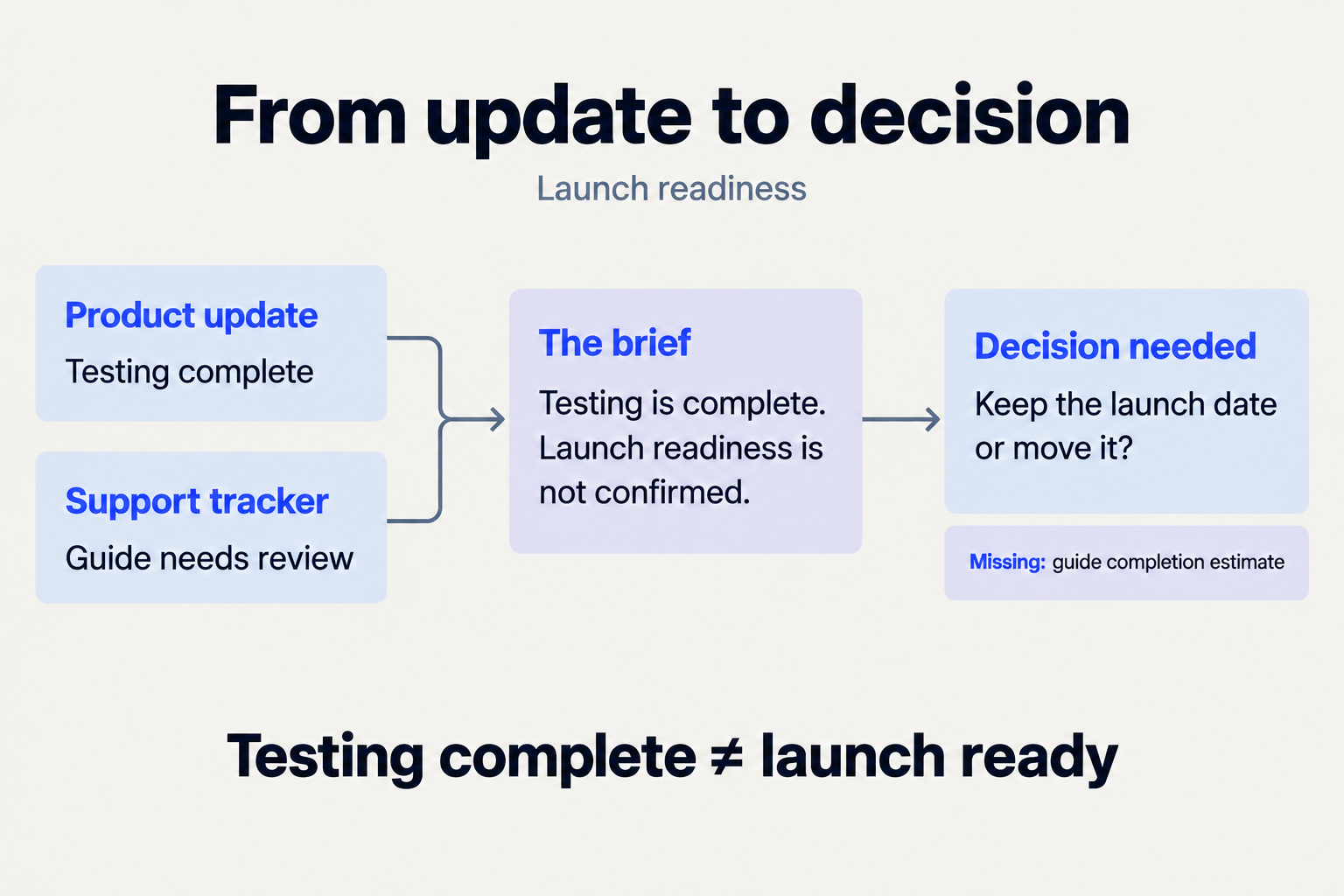
Two updates, one decision. Don’t turn a completed task into a broader conclusion that the evidence doesn’t support.
1. What belongs in your brief?
Define the audience, period, and inclusion rule before collecting updates. For an internal founder brief, a useful starting rule is:
Include changes that affect a customer promise, a delivery date, or a decision I need to make.
Then choose the areas you can actually cover. Product delivery, customer commitments, and launch readiness might be enough for your first brief.
Write the reporting window explicitly. If your team works across time zones, include the time zone and cutoff. Keep an event’s date separate from the date someone wrote about it: a message posted this week can describe last month’s decision.
Carry an older unresolved item forward only when it still matters. Label it “carried forward” and retain its original source rather than presenting it as new progress.
2. How do you collect updates without rereading everything?
Choose a small set of sources with different jobs. A tracker can show status and ownership. A customer conversation can explain the consequence. A release record can confirm that something shipped.
Create a simple source ledger as you collect. For the launch decision above, keep each source beside what it can—and cannot—confirm:
| Source | What it supports | What it doesn’t establish |
|---|---|---|
| Testing checklist, updated Thursday | The listed tests are complete. | Support and marketing are ready. |
| Marketing draft, updated Friday | The announcement is ready for review. | The announcement has been approved or sent. |
| Launch tracker, checked Friday | The guide is listed as needing review. | The status is current unless reconfirmed. |
For each item, keep the source link, event date, update date, and exact fact it supports. Add an owner only if the source names one.
Collect changes, not every trace of activity. “Worked on onboarding” is too vague. “The onboarding guide is ready for review; the reviewer hasn’t been confirmed” gives the reader something to resolve.
3. What should you do with missing or conflicting updates?
Don’t quietly smooth them into a confident summary.
If a message says “ready to launch” but the tracker still lists an unfinished guide, write:
Testing is complete. Overall readiness is unconfirmed because the tracker still shows the support guide awaiting review. Confirm whether that status is current before scheduling the announcement.
That wording separates the fact from the interpretation and names the smallest clarification needed.
Use the same discipline with gaps:
- Missing: no update was available within the reporting window.
- Stale: the last update predates the window and hasn’t been reconfirmed.
- Conflicting: the sources disagree on the same point.
- Unverified: the claim needs a source you don’t have.
“No update available” is not the same as “no issues.” If a gap could change the decision, put it beside the decision—not in a footnote.
4. How should you organize the final brief?
Collect by team if that’s convenient. Write around decisions so the reader doesn’t have to reconstruct the connection between departments.
Use six sections: scope, changes, blockers, decisions, follow-through, and coverage. Start with a short summary of the operating picture.
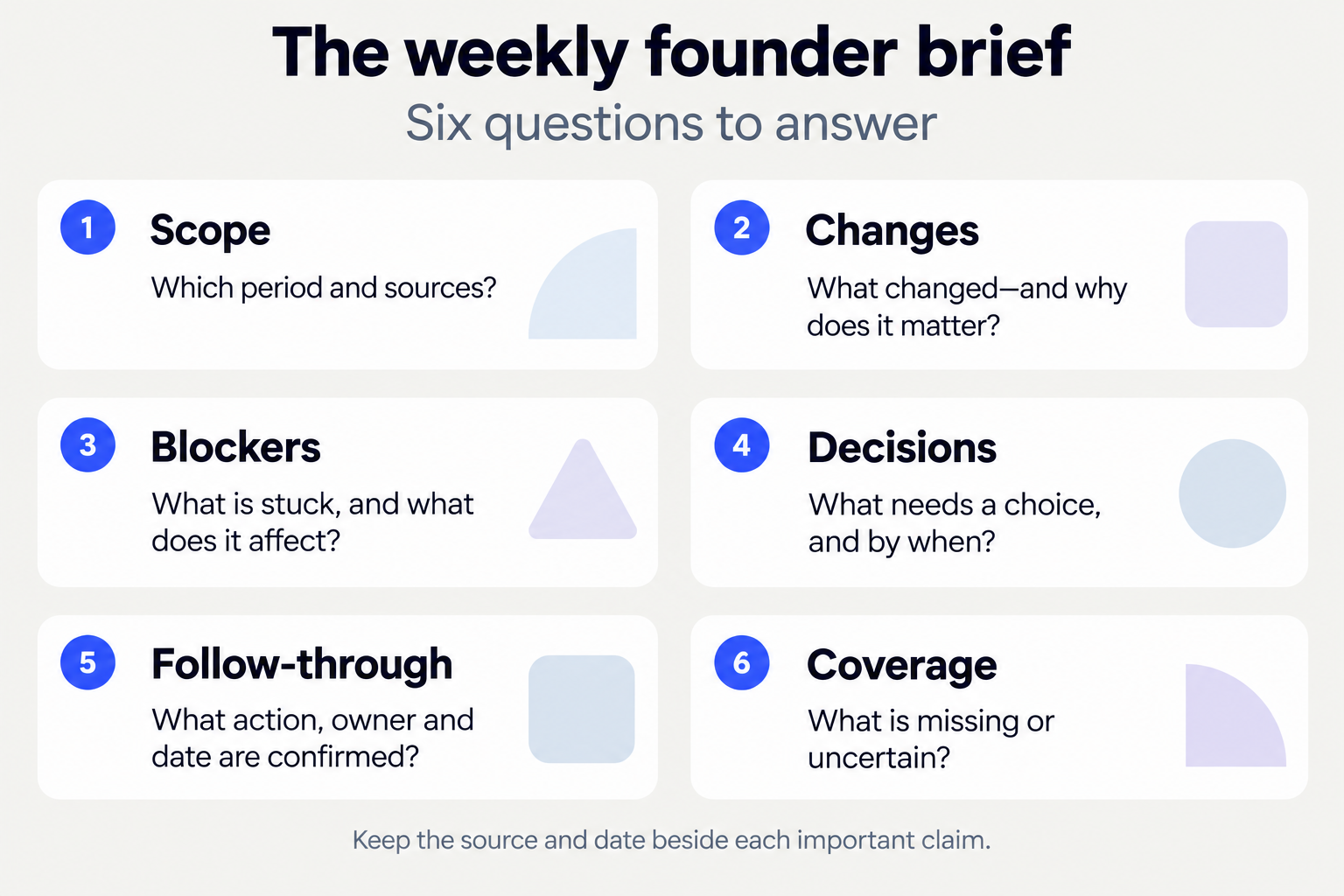
Use these six questions as an editing checklist. Keep source links and dates in the brief itself.
Copy this template into a document:
WEEKLY FOUNDER BRIEF
Period and cutoff:
Prepared:
Sources included:
Sources missing:

THE SHORT VERSION
What changed the operating picture?
What needs attention next?

MATERIAL CHANGES
Change:
Why it matters:
Source and date:

BLOCKERS AND RISKS
What is stuck:
Consequence:
Who can clarify it, if known:
Source and date:

DECISIONS NEEDED
Decision:
Options:
Needed by, and why:
Missing input:

FOLLOW-THROUGH
Proposed next action:
Owner, if confirmed:
Due date, if confirmed:
Approval needed:

COVERAGE AND UNCERTAINTY
Missing, stale, or conflicting information:
Unresolved items carried forward:
Leave out empty sections, or state that no relevant item was found within the checked scope. Don’t invent urgency to make the brief seem useful.
5. Can you use AI to prepare a first draft?
You can give an assistant the same boundaries you’d give a teammate. Be specific about sources, dates, and what it must not infer.
Adapt this prompt for the tool you use, and confirm that it can access the sources you include.
Prepare an internal weekly founder brief from
these sources: [list or attach sources].

Audience: [reader]
Reporting window and time zone: [start to cutoff]
Include changes affecting a customer promise,
delivery date, or decision I need to make.

Use the sections: summary, changes, blockers,
decisions, proposed follow-through, coverage.

For each important claim, keep its source and date.
Separate confirmed facts from interpretation.
Flag missing, stale, or conflicting information.
Label unresolved older items as carried forward.

Do not invent metrics, owners, deadlines, or outcomes.
Do not treat planned work as shipped or proposed
actions as completed.

Return a draft for review. Do not send messages
or change anything in other tools.
Review the output against the sources. Don’t assume a polished paragraph means the underlying information is complete.
If you’re using Juno, its recurring-work guidance describes giving it an outcome, context, and schedule, then reviewing the prepared work in conversation. Start with one brief and check its coverage before making it recurring.
6. What should you check before relying on the brief?
Read the summary, then inspect the decisions and blockers. For each important statement, ask:
- Does the linked source support this exact wording?
- Is it current, or only recently mentioned?
- Is “shipped” actually shipped—or still planned?
- Are the owner and deadline confirmed?
- Could a missing source change the conclusion?
- Is a recommendation being mistaken for an agreed commitment?
Check numbers separately. Keep the metric definition, reporting period, and source together. If you can’t verify a figure, leave it out or mark it unavailable. Don’t substitute a nearby measure because it’s easier to retrieve.
Also check the audience. Customer details and sensitive internal decisions may not belong in a wider update. Review sharing permissions before circulating the brief.
7. How do you turn the brief into follow-through?
For each reviewed decision, record what was decided, who owns the next action, where it belongs, and when it needs attention again.
If ownership or timing hasn’t been agreed, write “unconfirmed.” A blank space filled with an assumption is not a commitment.
Keep preparation separate from execution. “Draft the customer update” and “customer update sent” are different outcomes. Confirm that an action happened before marking it complete.
At the next reporting window, revisit unresolved items. Carry forward what still matters, link to its earlier source, and remove what’s been resolved.
After your first brief, look at what you edited. Repeatedly deleting activity lists? Tighten the inclusion rule. Repeatedly asking where a claim came from? Require clearer source links. Repeatedly chasing the same ambiguity? Clarify ownership at the source.
Frequently asked questions
Is this the same as an investor update?
Not in this workflow. This brief supports internal decisions and follow-through. An investor update needs its own audience, scope, metrics, and disclosure choices.
Do I need every company tool connected?
Start with a defined set of accessible sources. State what’s excluded. Don’t present a partial view as a complete account of the company.
What if nobody posted an update?
Mark it missing. You can carry forward a previously unresolved item with its original source, but label it as not reconfirmed.
What if there’s no decision to make this week?
Say so within the checked scope. A useful brief doesn’t need a manufactured problem. It can simply confirm the material changes and any follow-through already agreed.
Start with a decision you’re already facing. Choose one reporting window, gather its sources, and fill in the template. Expand the brief only when the extra coverage helps you make a better decision.
The test is simple: can you tell what changed, what you don’t yet know, and what to do next?