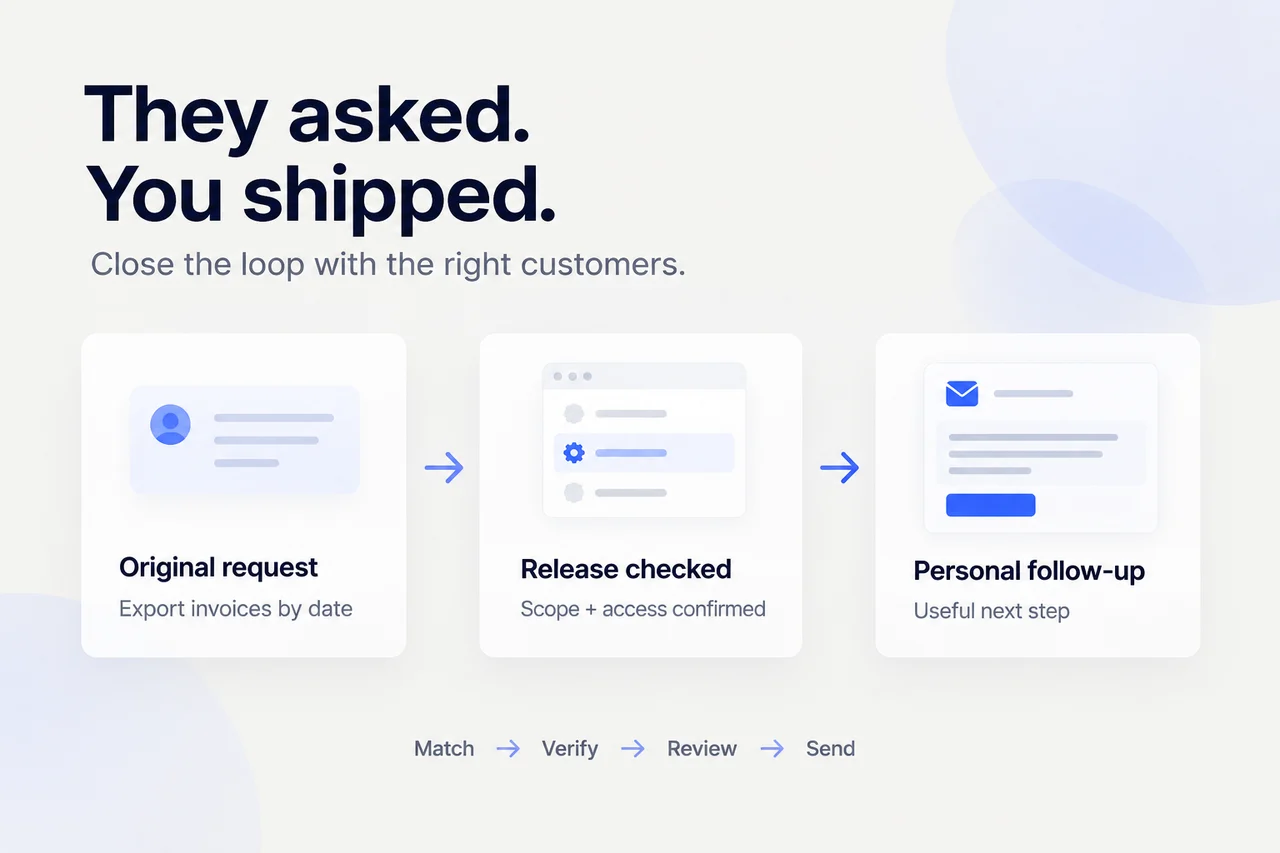
When a requested feature ships, follow up with the customers who asked for it—not just everyone on your announcement list. Find the original requests, check that the release solves the same need, confirm each customer's access, and send a short message with a useful next step. Record the send so another teammate doesn't repeat it.
You can do this with a spreadsheet, links to customer conversations, and your existing email or support tool. The important connection is between a person's original need and what they can actually use now.
What does a useful customer follow-up look like?
Consider a team releasing invoice exports. A customer previously asked for a CSV covering a chosen date range so finance could reconcile the month. The team has now released date-range exports, but only for accounts included in its current rollout.
Before writing, connect three records:
| Record | What to check |
|---|---|
| Original conversation | Did this person ask for date-range invoice exports, or something different? |
| Release information | Are date filtering and CSV download actually available? |
| Customer account | Is this account included, and can this recipient use the feature? |
If all three checks pass, the message can be specific:
Subject: The invoice export you asked for

Hi [name],

You mentioned that finance needed invoice data
for a chosen date range to reconcile the month.
That export is now available for your account.

Here's how to use it: [verified instructions link].
[Add any relevant limitation or permission requirement.]

Thanks for explaining the workflow. Does this cover
what you needed for reconciliation?

[sender]
That is more helpful than “We've launched exports!” It recalls the need, states availability precisely, and gives the reader somewhere useful to go. Don't copy the availability sentence until you've verified it for that recipient.
1. Where should you look for the people who asked?
Start with one release, not your entire feedback backlog. Write its actual scope in a sentence, including what it does not do. Then search the places your team records requests: support conversations, sales notes, call summaries, and product issues.
Search for the customer's task as well as your feature name. Someone may have asked to “reconcile last month's invoices” without using “date-range export.” Similar wording is a lead, not proof of a match. Read the original request before adding someone to the send list.
Keep the source link beside the person's name. If you only find a secondhand note without a reachable contact, mark it for clarification. Don't guess an email address or treat an account name as a confirmed recipient.
Combine repeated mentions of the same need, but retain their sources. If several people from one account requested it, choose a relationship owner to decide who should hear first. Don't send each person a separate message by default.
2. How do you know the release really answers the request?
Compare the original need with the shipped behavior, not just the issue title. “Export invoices” might mean invoice PDFs, CSV data, or an automated accounting sync. Those are different requests.
Use three checks before preparing an availability message:
- Scope: What part of the request is now supported? What remains unsupported?
- Access: Is it available for this account, plan, region, rollout group, and user role where those restrictions apply?
- Instructions: Does the linked guide describe the released behavior and any setup needed?
A completed engineering issue can help you find the release record. It isn't enough on its own to establish customer access. If the sources conflict, ask the release owner to clarify and hold the notification.
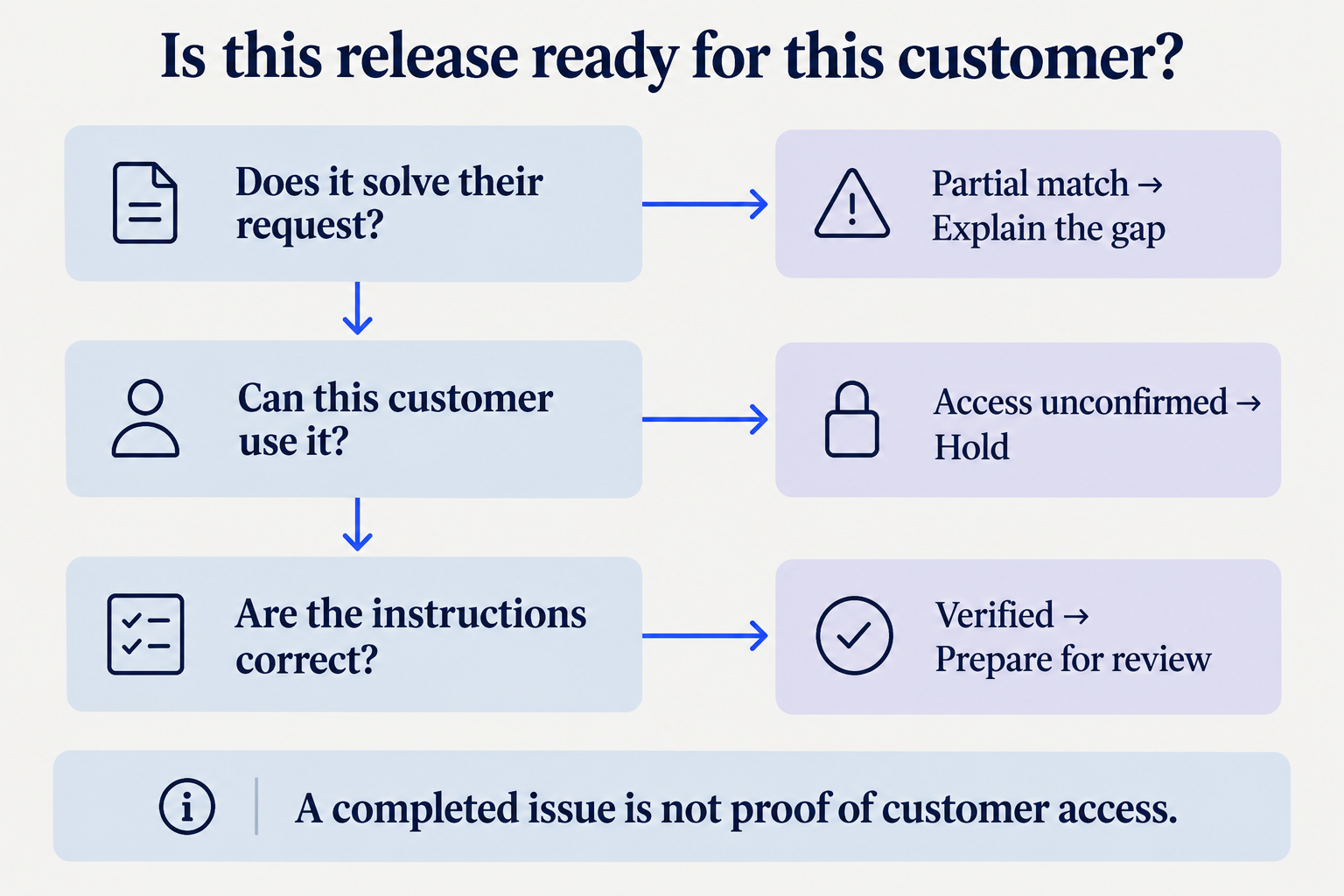
For a partial match, name the boundary plainly: “You can now export a date range as CSV. Automatic accounting sync isn't included.” A narrower true statement is better than a broad promise that creates another support conversation.
3. What should go in your follow-up tracker?
Use one row per intended notification. A release can have many requesters, and an account can have several contacts; the row should make the chosen recipient and sender explicit.
Copy these fields into the tool you already use:
CUSTOMER RELEASE FOLLOW-UP
Release and release source:
Shipped scope and known limitations:
Customer/account:
Recipient and original request link:
Original need, in their words:
Match: confirmed / partial / needs clarification
Access check: source, result, checked at
Verified instructions link:
Sender and channel:
Message draft:
Reviewer and decision:
Status: hold / prepared / reviewed / sent
Sent at and message link:
Reply or agreed next action:
Use statuses consistently. “Prepared” means there's a draft. “Reviewed” means someone has checked it and agreed it can be sent. “Sent” requires confirmation from the sending tool. A review decision is not a delivery record.
Store only the customer details needed for this workflow, and keep the tracker within the appropriate team permissions. A reusable blank template can be widely shared; a populated requester list needs a more careful audience.
4. Who should send it, and through which channel?
Choose one accountable sender before scheduling messages. That might be the founder, account owner, salesperson, or support teammate. Pick the person who has enough context to answer the likely reply.
When appropriate, continue the conversation in the channel where the request arrived. If you switch channels, preserve the original context in the tracker so the recipient doesn't have to explain the problem again.
Check recent account activity before sending. Has another teammate already notified them? Is there an unresolved support issue that makes a celebratory note awkward? Is a promised follow-up already scheduled? Coordinate rather than adding a second, disconnected message.
Savio's guide to closing the customer feedback loop also recommends assigning an owner, choosing a channel, and recording who was contacted. The tracker makes those decisions explicit for each notification.
5. What should the message say?
Keep it short enough to read in the original conversation. Include the need they raised, the relevant change, an honest availability statement, and one next action. Thank them without pretending their request was the sole reason the team built the feature.
For a partial match, adapt this:
Hi [name],

You asked about [original need]. We've released
[verified capability], which covers [supported part].

[Remaining limitation] isn't included.
You can use the available part here: [verified link].

Would this help with [their task], or is
[remaining gap] still the blocker?

[sender]
For a staged rollout, don't announce availability the account doesn't yet have:
Hi [name],

A quick update on [request]: [capability] has started
rolling out, but it isn't enabled for your account yet.

[Include a confirmed next step, if there is one.]
I don't have a confirmed availability date to share.

[sender]
Only send a rollout update when it's useful or you've promised one. Otherwise, keep the row on hold until you can offer a meaningful next step. Don't add a speculative date to make the message feel complete.
6. What needs review before you send?
Review the recipient, release scope, access, instructions, and tone together. Check every link and remove internal notes. Confirm that the message doesn't expose another customer's request, a private roadmap discussion, or an unapproved promise.
If AI helps prepare the message, give it the same boundaries:
Match this release to the attached customer requests.
Use only the sources provided.
For each match, keep the original request link.
Separate confirmed matches from uncertain ones.
Check scope and account access where sources allow;
otherwise flag the missing check.
Prepare short personal messages for review.
Do not invent capabilities, dates, contacts, or access.
Do not send messages or mark anyone notified.
Juno's product guidance describes connecting a release to the customers who wanted it and preparing personal follow-ups. Start with one release and review the proposed matches and messages before expanding the workflow. This isn't a reason to skip the access check.
7. When is the loop actually closed?
After sending, record the confirmed time and a link to the message. If delivery failed or the result is unclear, investigate before marking it sent or trying again. An uncertain send is a duplicate risk, not a completed notification.
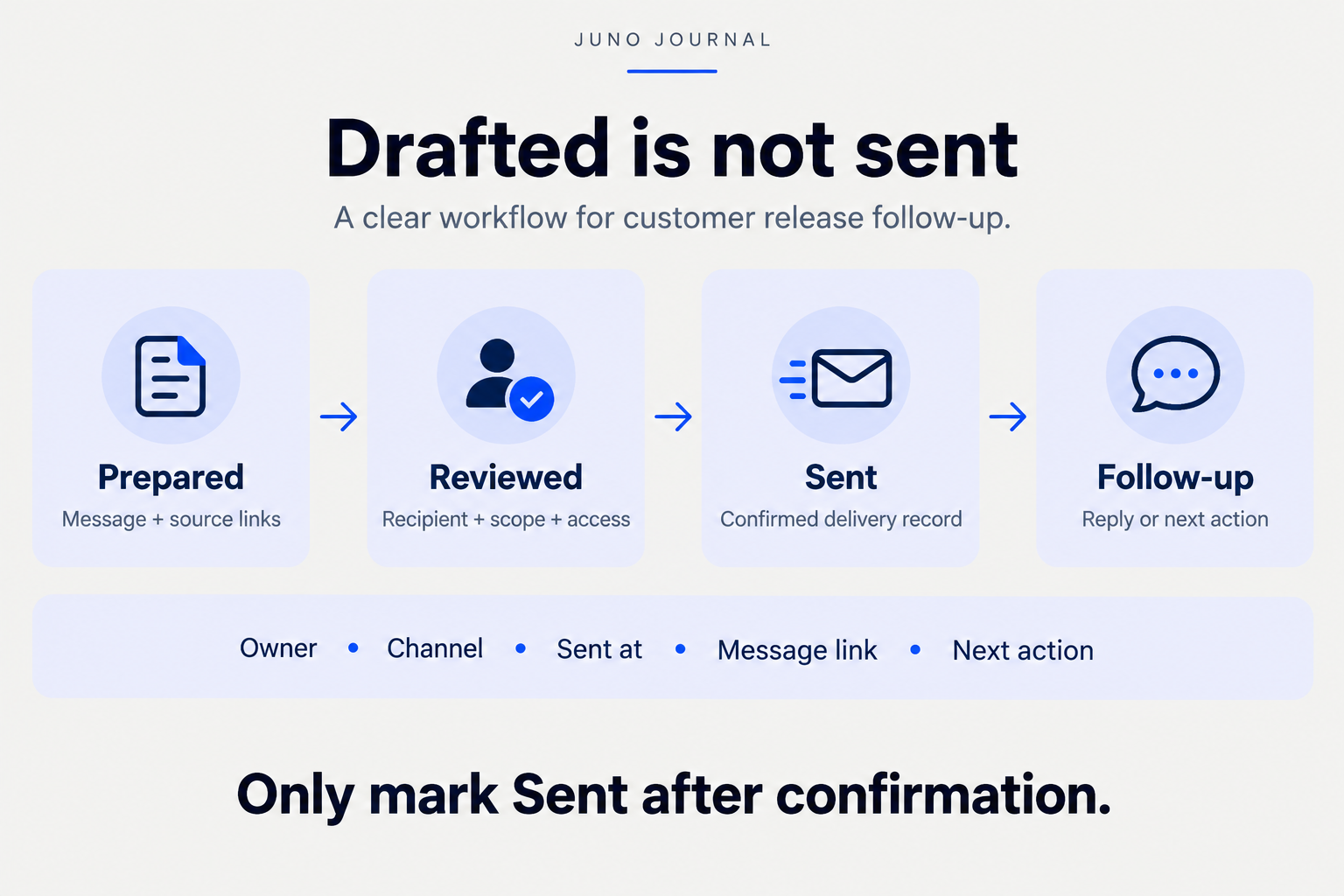
Then track the reply separately. “Notified” doesn't mean the customer has used the feature or that the original problem is solved. If they report a remaining gap, link the new information to the request and agree who owns the next action. Don't turn every notification into an open-ended sequence of reminders.
If you also prepare a weekly founder brief, include unresolved follow-up only when it affects a customer promise or decision. Keep the detailed recipient list in its appropriate place rather than copying private customer context into a wider report.
Frequently asked questions
Is a changelog enough?
Use it as the public release record. For a requester-specific follow-up, connect that record to the person's original need and explain what they can use now.
What if the original requester has left?
Ask the account owner to identify an appropriate current contact. Don't forward the old conversation to a new person without checking what it contains and whether it should be shared.
Should every requester get the same email?
Reuse the structure, not unverified details. The task, supported scope, account access, and next step may differ. Group messages only after checking that those differences are handled.
What should you do first?
Choose one recent release. Find its original requests, verify one customer's access, and prepare one message with a useful link. Review it, send it through your normal channel, and record the confirmed outcome. Get that small loop right before adding more automation.