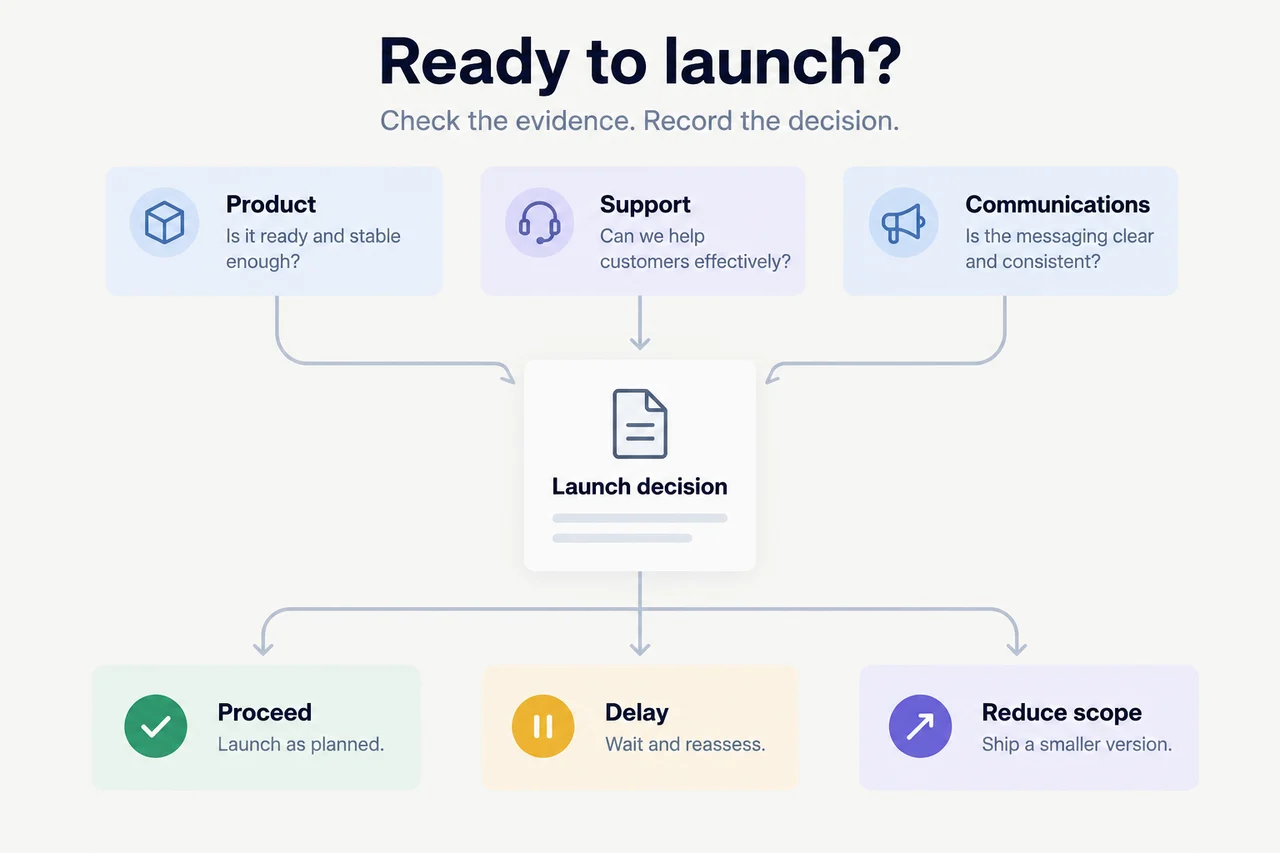
A product launch go/no-go review answers one question: is this specific release ready for its intended audience? Define what must be true, check current evidence across product, support and communications, then have the authorized decision-maker record whether to proceed, delay or reduce scope. A finished engineering task is an input, not the launch decision.
You can do this in a shared document with links to your existing tools. The useful output is a decision people can act on, including its scope, conditions and next checkpoint.
What does a useful launch decision look like?
Consider a team preparing invoice exports for a limited group of accounts. Product testing is complete. The support guide still describes the old export screen. Marketing has prepared an announcement saying the feature is available to everyone.
Those facts don't add up to a general launch. They point to a narrower decision:
RELEASE: Date-range invoice exports
INTENDED AUDIENCE: Confirmed pilot accounts only

CONFIRMED
- Product checks pass for the pilot scope.
- Pilot account list is verified.

BLOCKERS
- Support instructions need updating and review.
- Announcement overstates availability.

DECISION: Delay the pilot announcement.
DECISION-MAKER: Named release approver

RECHECK WHEN
- Support lead approves the current instructions.
- Marketing reviewer approves pilot-only wording.

NOT AUTHORIZED
- General availability announcement
- Expansion beyond the verified pilot group
In your own record, replace role descriptions with confirmed names and link the evidence. Add the actual decision time and next checkpoint. Don't copy a deadline that nobody agreed to.
The point isn't to make the checklist green. It's to make the remaining decision explicit.
1. What exactly are you deciding to launch?
Write the scope before collecting readiness updates. Include the capability, intended users, access restrictions and communication channel. Clarify whether the decision covers deployment, enabling access, a customer announcement, or all three. These can happen at different times.
Name the person authorized to make the decision. Identify who can confirm each condition and who can pause execution if circumstances change. In a small team, one person may cover several roles; the responsibilities still need to be clear.
Set a review cutoff with a date, time and time zone. Choose it around the actions that become difficult to reverse, such as a scheduled campaign or a rollout change. A calendar invitation isn't evidence that the release is ready.
Unito's product launch checklist separates launch scope, functional preparation, validation and an explicit proceed, delay or scope-down decision. Use the parts your release needs rather than copying a large-company process wholesale.
2. What should block this launch?
Agree the blocking conditions before the review, not while defending a launch date. Ask: what would make this release unsafe, unusable, misleading or unsupported for the intended audience?
A working set might include passing the agreed product checks, confirmed access for the rollout group, accurate instructions, a reachable escalation owner and approved customer-facing claims. Your technical lead should define deployment, security, monitoring and rollback requirements appropriate to the release. This guide isn't a substitute for those checks.
Separate three kinds of condition:
- Blocking: Must be resolved before the defined launch can proceed.
- Non-blocking: Can remain open only with an explicit owner, consequence and follow-up.
- Not applicable: Excluded for a stated reason tied to this release's scope.
An unanswered blocking check stays unconfirmed. Don't average it away with completed tasks or use an overall completion percentage as permission to launch.
A cosmetic improvement might be non-blocking. Instructions that tell customers to use a control they cannot access might block the customer announcement. Make that judgment deliberately, with the relevant owner, rather than relying on the task's priority label.
3. What evidence belongs in the readiness checklist?
Use one row per condition. Link the result that establishes readiness, not just the project containing the work. Keep the owner, check time and applicable release scope beside it.
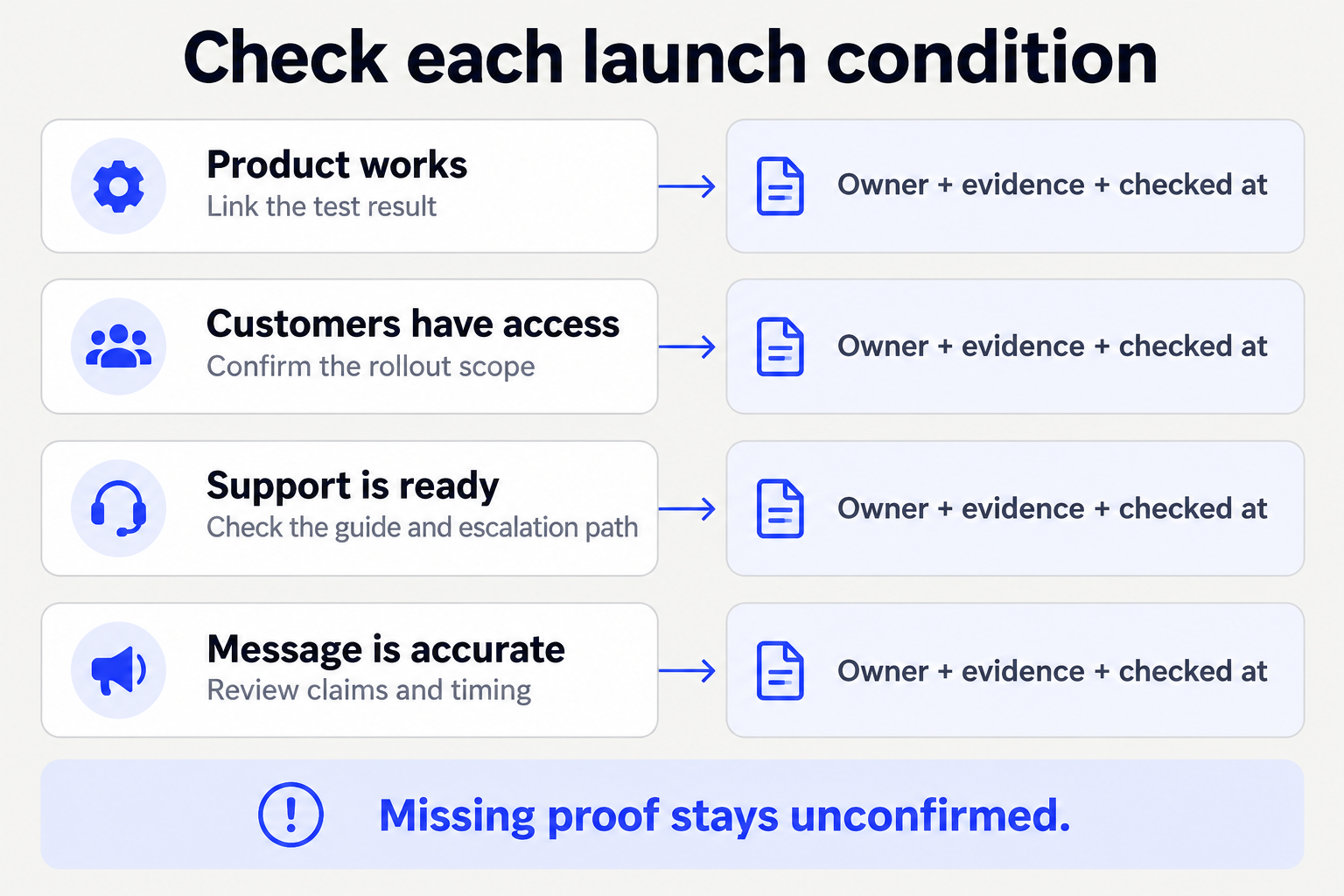
Start with these questions and adapt them:
| Area | Readiness question | Evidence to request |
|---|---|---|
| Product | Does the intended workflow pass the agreed checks? | Current test result and known limitations |
| Access | Can the intended audience actually use it? | Confirmed rollout scope and permission check |
| Support | Can the team explain and troubleshoot it? | Reviewed instructions and escalation path |
| Communications | Do the claims match scope and availability? | Approved copy and intended recipients |
| Operations | Can the team monitor and respond? | Applicable monitoring, pause or rollback plan |
Atlassian's product launch checklist covers testing, documentation, support preparation, marketing and launch-day monitoring. The compact record below connects those areas to the decision at hand.
LAUNCH READINESS CHECK
Release and audience:
Condition:
Blocking / non-blocking / not applicable:
Accountable owner:
Required proof:
Evidence link and result:
Checked at, including time zone:
State: confirmed / blocked / unconfirmed / not applicable
Gap or known limitation:
Next action and agreed checkpoint:
Reviewer, if required:
Retain links within the right permissions. A wider launch summary usually doesn't need private customer conversations or a populated account list copied into it.
4. How do you handle missing or conflicting updates?
Ask what each source actually establishes. A closed issue may establish completed engineering work without proving production deployment. A reviewed announcement may establish approved wording without proving that it was sent.
When a message says “ready” but the checklist shows an unresolved condition, put the conflict beside the affected decision. Ask the responsible owner to confirm the current result and supply its source. Don't silently choose the newer-looking message.
Use a short request:
For [release and audience], this check is unresolved:
[condition]

The tracker says: [status and source]
The later update says: [claim and source]

What is true now, and what evidence confirms it?
Does this change the planned scope or timing?
Please confirm by [agreed checkpoint].
If there is no agreed checkpoint, ask for one rather than inserting a date. An estimate for completing the work is not a passing check. Keep the item unconfirmed until the required proof exists.
5. How should the go/no-go review work?
Share the checklist before the review so owners can correct it. Spend the review on unresolved blocking conditions and decisions, not a tour of every completed task.
For each blocker, establish the consequence, available options and smallest verified scope that could proceed. Reducing scope can be useful, but it creates a new release boundary: recheck access, instructions and messaging against it. A smaller announcement doesn't repair an unsafe deployment.
The authorized decision-maker records one outcome:
- Proceed: The agreed conditions pass for the stated scope.
- Delay: A blocking condition remains; name what must change and when readiness will be reassessed.
- Reduce scope: Approve a narrower release only after its applicable conditions pass.
Don't leave “proceed if someone fixes the guide” looking like unconditional approval. Keep execution on hold until the named condition is verified and the approval process permits proceeding.
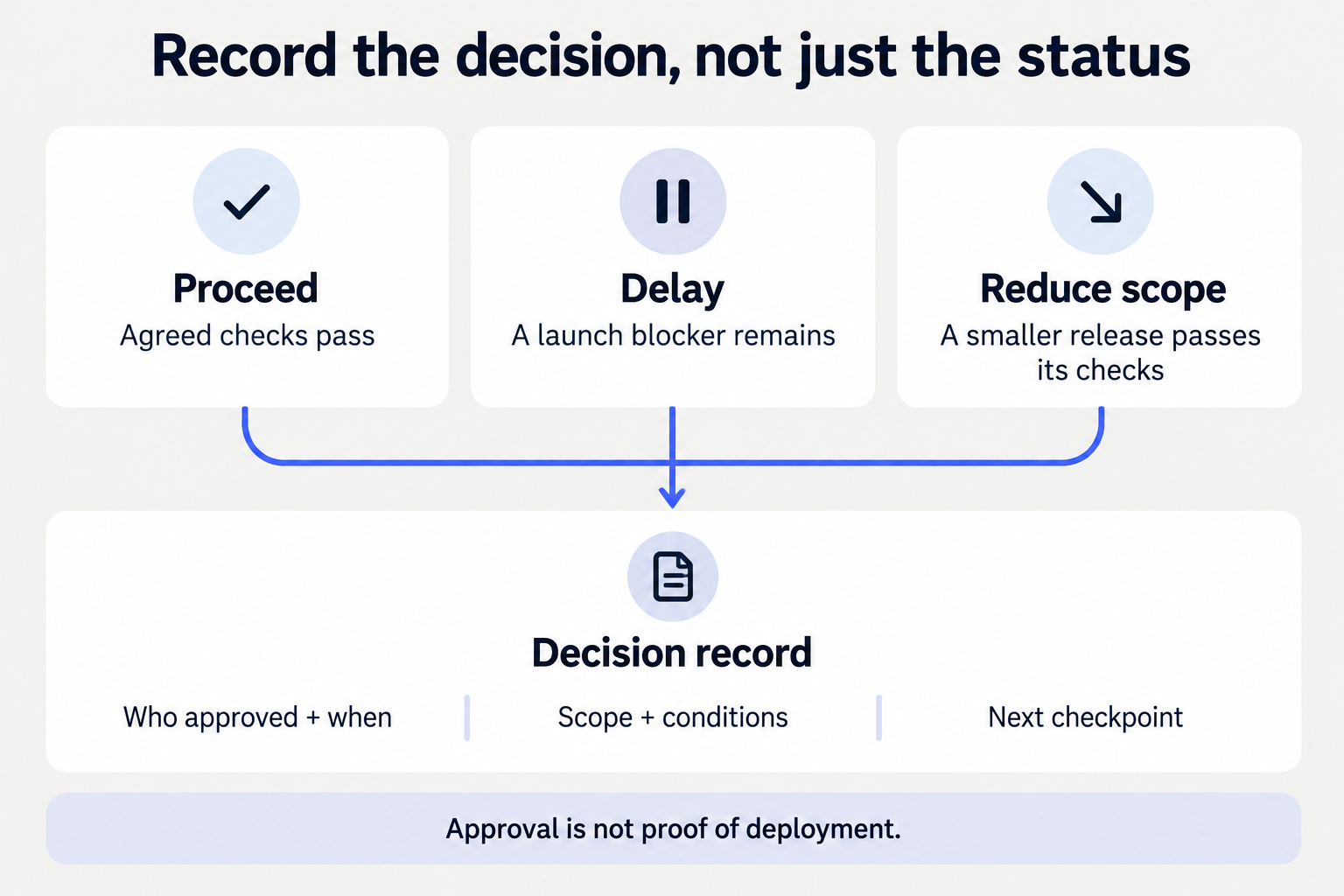
Copy this decision note:
LAUNCH DECISION
Release, version and intended audience:
Decision: proceed / delay / reduce scope
Approved scope and explicit exclusions:
Decision-maker and decision time:
Readiness checklist link:
Unresolved conditions and execution hold:
Accepted non-blocking risks and owners:
Who verifies the remaining conditions:
Next checkpoint:
Execution owners and required approvals:
What change requires another review:
Deployment, access and announcement confirmations:
The final line starts empty. Approval does not establish that deployment happened, access was enabled or an announcement was delivered.
6. What happens after the decision?
Send the relevant decision to the people executing it. Confirm who owns each approved action, where it is tracked and what completion means. Use your existing tracker rather than creating a second list with competing dates.
If ownership isn't settled, the meeting-actions workflow can help separate proposed work from accepted commitments. Keep the launch decision and the resulting tasks linked.
Before execution, recheck anything material that changed: a new build, wider audience, revised claim or unavailable support owner. Record confirmed outcomes separately. If a deployment or send has an uncertain result, investigate before repeating it.
For people who requested the feature, use the customer release follow-up checklist after verifying actual availability. A go decision isn't evidence that a particular account has access.
7. Can AI help without making the launch decision?
Ask AI to prepare the evidence and questions, not to grant permission:
Prepare a readiness review for [release and audience].
Use these sources: [checklist, tests, access record,
support guide, announcement draft, operations plan].
Use our agreed launch-blocking criteria: [criteria].
Keep a source and check time for each conclusion.
Separate confirmed, blocked and unconfirmed checks.
Flag contradictions, stale updates and missing proof.
Draft proceed, delay and reduced-scope options.
Do not infer approvals or invent owners and dates.
Do not deploy, enable access, publish or send anything.
Return the checklist and decision questions for review.
Check its output against the original sources. If you use Juno, its product guidance describes building a launch dashboard with owners, blockers and customer commitments. That can help bring the preparation together; the authorized person still makes the launch decision.
Carry material unresolved decisions into your weekly founder brief, without duplicating the full readiness record.
Frequently asked questions
Do we need a meeting for every release?
No. A small release may use an asynchronous checklist and recorded approval. Use a conversation when unresolved trade-offs need it, not because the template contains a meeting slot.
What if every task is complete but one check is unconfirmed?
Resolve the check. Task completion and readiness aren't interchangeable. If the condition is blocking, the defined launch remains on hold.
Can we launch while delaying the announcement?
Possibly, if your release controls permit it and the deployment and access conditions pass. Record those as separate decisions. Don't imply general availability while access is limited.
What should you do first?
Choose one upcoming release. Write its exact audience and scope, name the decision-maker, and collect proof for the blocking conditions. Leave the gaps visible. The next useful step is resolving the decision, not adding another status dashboard.